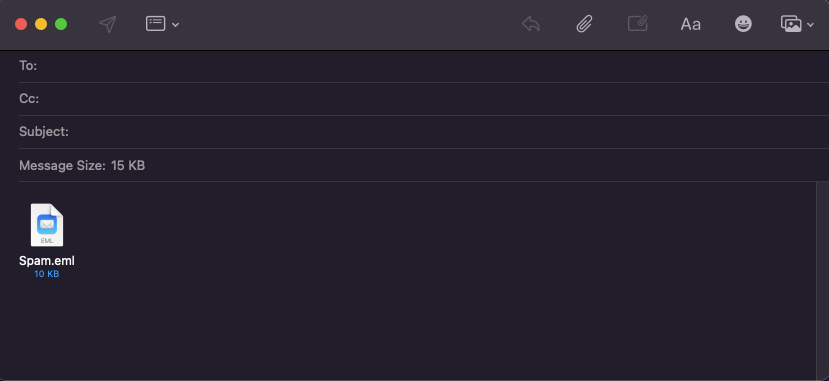
Phishing attacks are a common practice used to steal information. If you receive an email that may be considered spam, suspicious, or a possible phishing attempt, you should notify the responsible entity in your organization so that they can analyze the email and take the necessary measures.
Reporting potential phishing emails helps reduce the associated risk by allowing the application of measures that prevent the sharing of information by potential victims and restrict access to malicious hyperlinks.
In order to send as much information as possible for analysis, it is necessary to follow a procedure that goes beyond simply forwarding the email. It is necessary to forward the email as an attachment in order to include the complete message.
The following documentation describes the best practices to follow when reporting a potential phishing email.
Table of contents:
What is phishing?
Phishing is a type of attack in which social engineering techniques are used to capture a victim’s confidential information via email. A threat actor using this type of attack seeks to trick email recipients into providing sensitive information by clicking on malicious attachments and/or URLs or sharing data on fraudulent pages. To do so, the attacker simulates a credible brand or impersonates someone trustworthy. When this technique is used via SMS, it is called smishing, and via telephone (voice), vishing. This technique can also be used through instant messaging on social media applications.
Best practices
-
Do not click on attachments or links in suspicious emails, instant messages, or SMS messages; -
When contacted, confirm the authenticity of the email address, profile, or originating phone number; -
Always evaluate the content of emails, instant messages, SMS messages, or phone calls; -
Do not share personal data or follow instructions without verifying the veracity of the request with other sources – for example, with your bank account manager or a superior; -
Be wary of messages with formal language errors, but also do not trust all messages just because they do not have formal language errors; -
Do not share sensitive data on social networks because this practice can provide information to potential attackers who wish to carry out spear phishing (phishing targeted at a specific person); -
Be vigilant and do not be persuaded without reflection by authoritarian requests, promises, or urgent demands; -
Report the email to the organization's IT security team so they can analyze it and take the necessary measures; -
In the notification email, include a brief description of the email in the subject line, such as: Possible phishing email; -
If you selected a hyperlink from a possible phishing email and submitted information, you must report that information in the body of the email.
Email clients
The following sections describe the procedure for reporting phishing emails in various email clients (Gmail, Outlook, Thunderbird e Apple Mail).
In case a different email client is being used, ensure that the email is
forward as an attachment.
Gmail
1 - Open Gmail and locate the message you want to report in the appropriate folder in your inbox;
2 - Select the email in question from your inbox, as shown in the following figure;

3 - In the upper corner, open the More (three dots) menu;
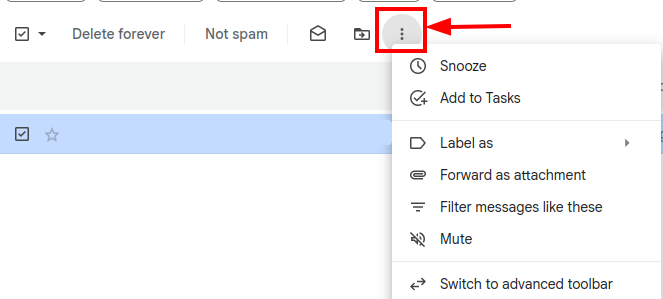
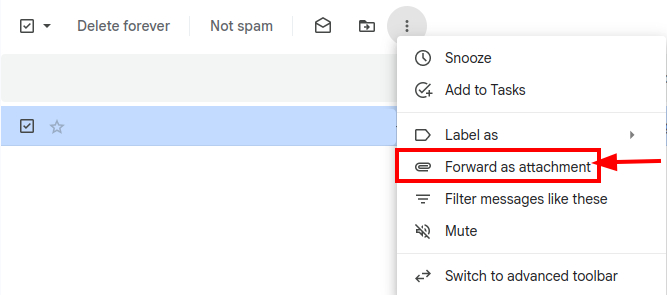
4 - Select Forward as attachment;
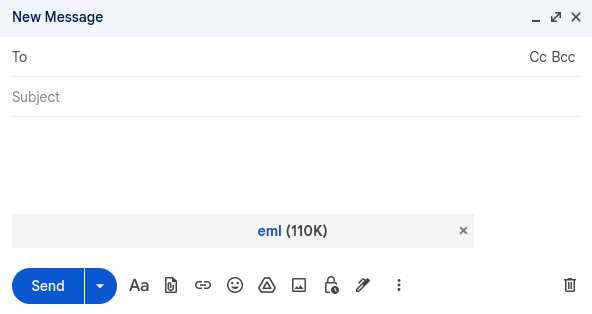
5 - Sending the email.
-
The email should be forwarded to the organization’s IT security team, if any, or to the department responsible for managing the email service.
-
⚠️ You should include a brief description of the email in the subject line, such as:
Possible phishing email.
Outlook
1 - Open Outlook and locate the message you want to report in the appropriate folder in your inbox;
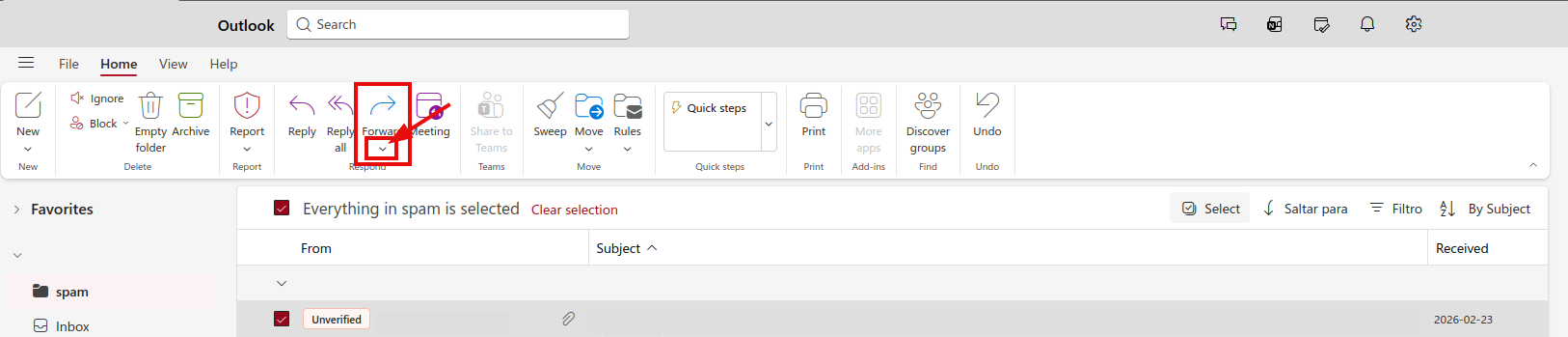
2 - Select the email in question from your inbox, as shown in the following figure;

3 - In the upper corner, you will find Forward where the following option is located: ▾;
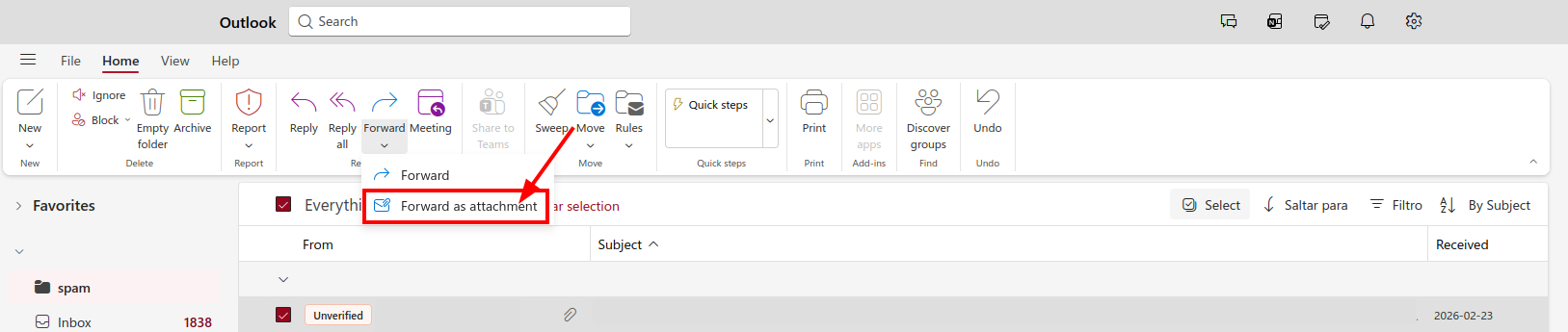
4 - Select Forward as attachment;
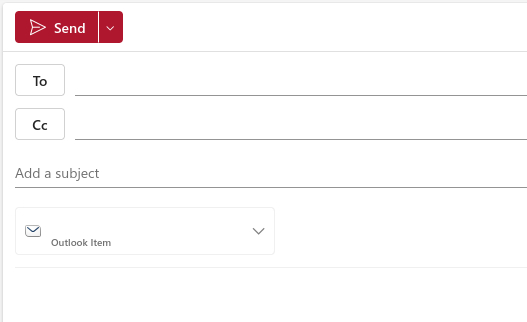
5 - Sending the email.
-
The email should be forwarded to the organization’s IT security team, if any, or to the department responsible for managing the email service.
-
⚠️ You should include a brief description of the email in the subject line, such as:
Possible phishing email.
Mozilla Thunderbird
1 - Open Thunderbird and locate the message you want to report in the appropriate folder in your inbox;
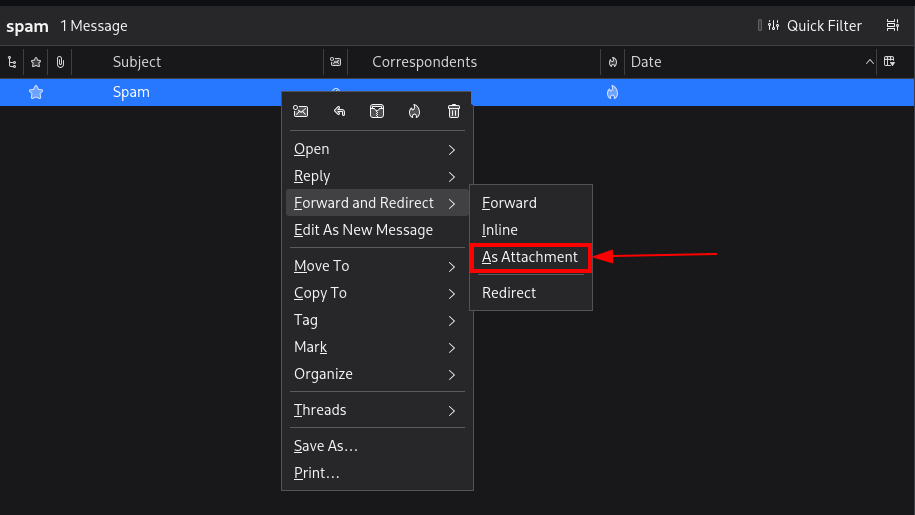
2 - Select the email in question from your inbox, as shown in the following figure;

3 - In the upper corner, you will find Forward and Redirect where the following option is located: ▾;
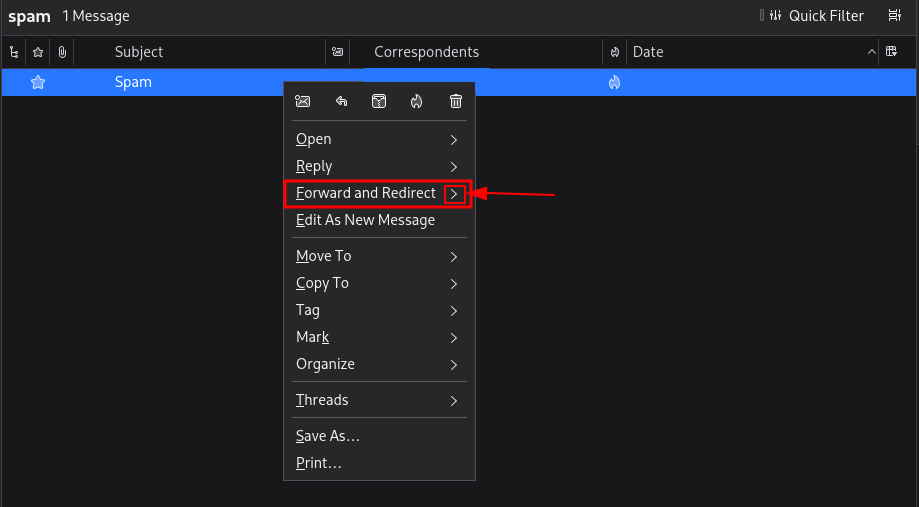
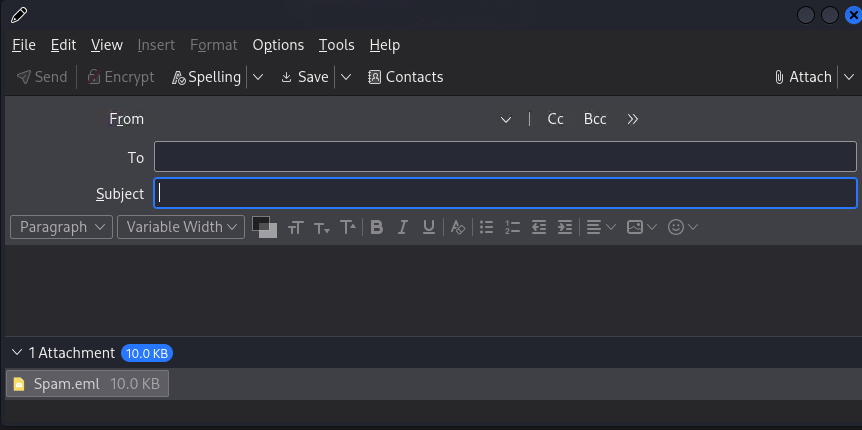
4 - Select As Attachment;
5 - Sending the email.
-
The email should be forwarded to the organization’s IT security team, if any, or to the department responsible for managing the email service.
-
⚠️ You should include a brief description of the email in the subject line, such as:
Possible phishing email.
Apple Mail
1 - Open Apple Mail and locate the message you want to report in the appropriate folder in your inbox;
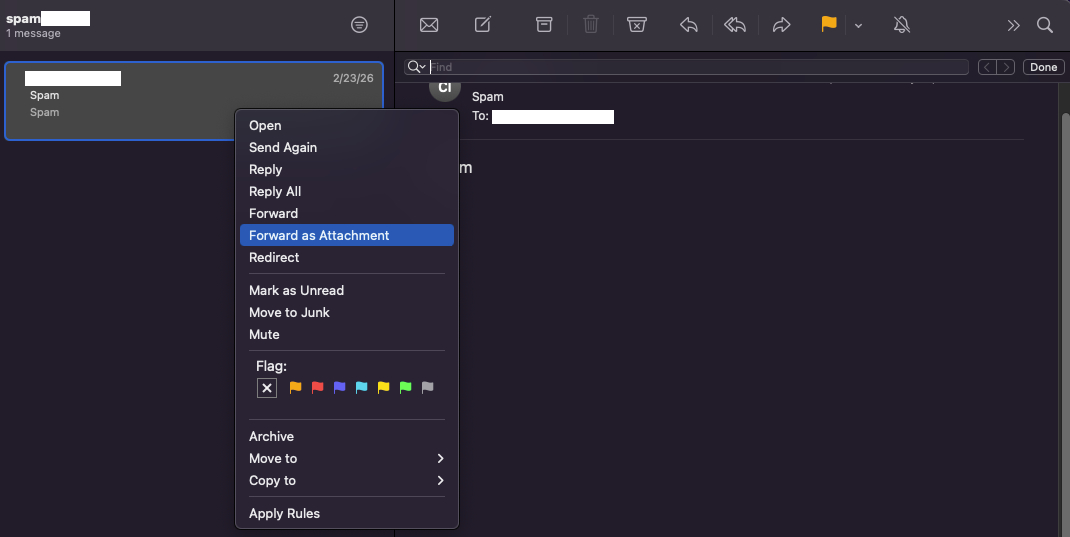
2 - Select the email in question from your inbox, as shown in the following figure;

3 - Right-click and select the email, followed by the option Forward as Attachment.
4 - Sending the email.
-
The email should be forwarded to the organization’s IT security team, if any, or to the department responsible for managing the email service.
-
⚠️ You should include a brief description of the email in the subject line, such as:
Possible phishing email.